

Collections Listing Page (PLP)
Collections listing page is the page where user can see the list of products in a collection.
example page:
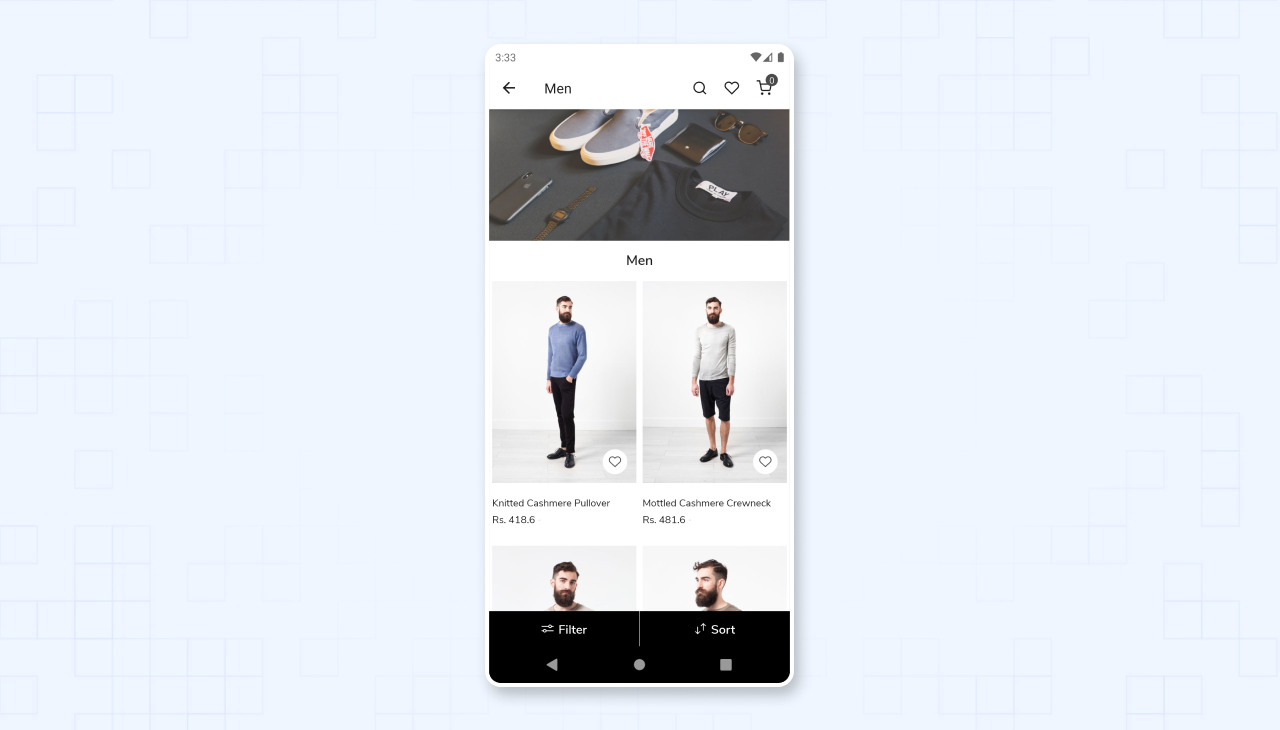
Basic page structure
const CollectionListingPage = {
  title: "Product list",
  blocks: [
    {
      name: "appmaker/banner",
      attributes: {
        uri: "{{blockItem.collection.image.url}}",
        thumbnail_meta: "meta",
      },
    },
    {
      name: "appmaker/page-head",
      attributes: {
        title: "{{blockItem.collection.title}}",
      },
    },
    {
      name: "appmaker/shopify-product-list",
      attributes: {},
      isValid: true,
    },
  ],

  stickyFooter: {
    blocks: [
      {
        name: "shopify/collection-sort-filter",
        attributes: {},
      },
    ],
  },
};

export default CollectionListingPage;
Basic Blocks
1. appmaker/shopify-product-list
This block is used to display the list of products in a collection.
{
  name: "appmaker/shopify-product-list",
  attributes: {},
}
2. appmaker/banner
This block is used to display the banner image of the collection.
{
  name: "appmaker/banner",
  attributes: {},
}
3. appmaker/page-head
This block is used to display the title of the collection and number of products in the collection.
{
  name: "appmaker/page-head",
  attributes: {},
}
4. shopify/collection-sort-filter
This block is used to display the sort and filter options.
{
  name: "shopify/collection-sort-filter",
  attributes: {},
}
Customizing the collection list page
Block customization can be done by overriding the block.
Eg: To override the appmaker/shopify-product-list block
Customize the product image by using the appmaker/shopify-product-list block. create a new component in ./components folder, and register it to the block registry in ./blocks/index.js file with the same name as the block.
NB: To customize Collection widget block name is appmaker/product-grid-item